Key points for acceptance of smart access control systems.
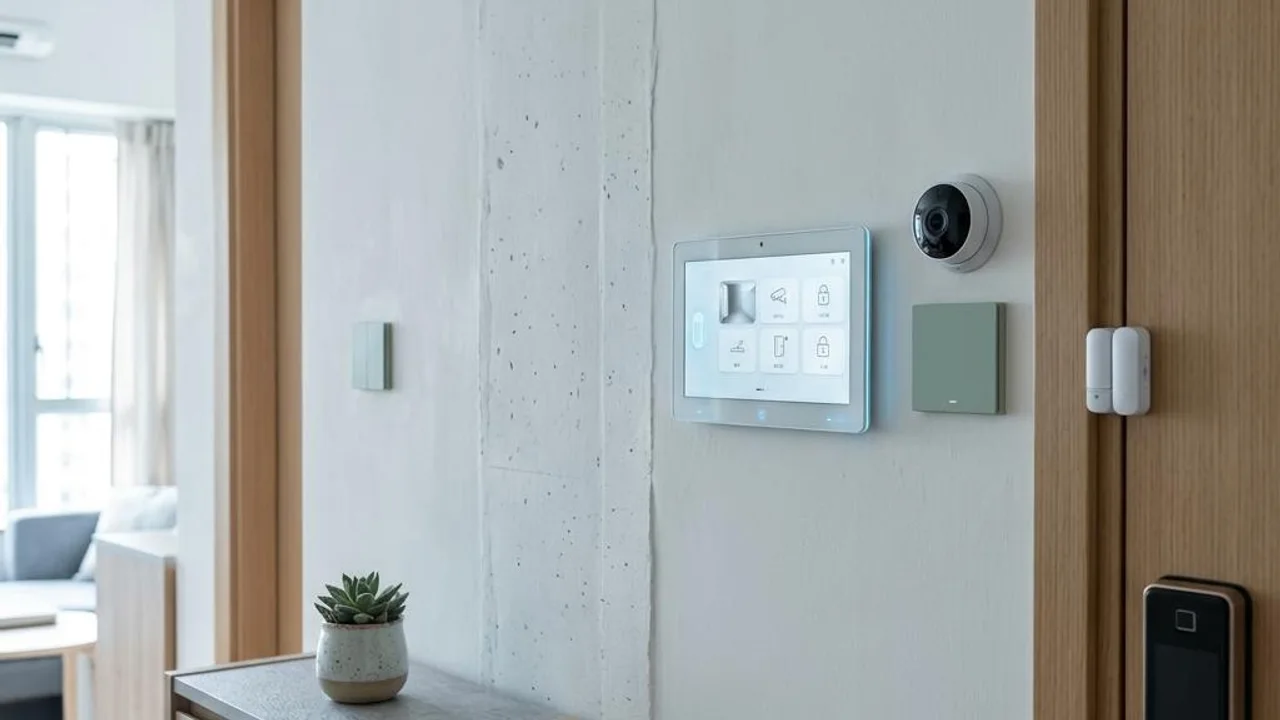
Smart door locks and electronic door viewers, as the first line of defense for home safety, are crucial for those living alone. During acceptance, first examine whether the physical structure of the lock is solid, if the anti-tamper alarm is sensitive, and confirm the stability of the electronic system and network. The system must maintain real-time data synchronization with the user's mobile phone to ensure that when abnormal loitering is detected outside the door, it can instantly send push notifications and provide clear surveillance footage; this is the basis for effective access control.
During the testing phase, focus on the response speed and accuracy of the biometric system (e.g., fingerprint, face) under multiple readings. A complete access control system should include backup power and local storage to maintain basic protection even during network or power outages. If image lag or unstable recognition rates are found, it is recommended to seek professionals for network optimization or configuration checks to reduce potential false alarms and connection hazards.
- Check the mechanical structure of the smart lock and the performance of the electronic anti-tamper alarm.
- Test the image lag of the electronic door viewer while the network is connected.
- Verify real-time connection and push notification functions between the mobile app and the hardware system.
- Verify the accuracy and response speed of biometric data under repeated readings.
Inspection of spatial dynamic protection networks.
Besides the entrance, indoor dynamic protection is also indispensable for homes of single residents. Modern anti-theft system configurations commonly include window magnetic sensors, infrared detectors, and smart curtain linkage devices. During acceptance, the sensitivity of each sensor must be strictly calibrated to ensure the system can accurately distinguish between normal indoor activities and abnormal intrusion, preventing both false alarms and missed events to achieve tight monitoring of hidden spaces.
These sensors should establish linkage logic with indoor smart lighting. For example, when abnormal movement is sensed, the system should automatically activate bright lighting and trigger an alarm simultaneously; this can not only deter potential intruders but also remind occupants to be vigilant. The acceptance process should simulate different scenarios to ensure all linkage devices trigger accurately according to preset logic, building a multi-dimensional indoor defense network.
- Adjust the trigger sensitivity of window magnetic sensors to adapt to the home environment.
- Test the coverage of infrared motion sensors for blind spots.
- Verify the indoor lighting linkage response mechanism when abnormal alarms are triggered.
- Confirm the battery level of all wireless sensors and the low-battery warning function.
Gatekeeping for cloud linkage and emergency mechanisms.
The value of a smart anti-theft system depends on whether the emergency mechanism is smooth. The system must perfectly interface with the central gateway to ensure that monitoring can be maintained during network fluctuations or power interruptions. The focus of acceptance is on testing the reliability of the backup power system and cloud backup, ensuring data is not lost at critical moments and alarms are instantly conveyed to designated contacts. Such details determine the resilience of the system in extreme situations.
The response time of the emergency help button is a lifeline for safety. Professional inspection processes will test the timeliness of the help signal being sent to the cloud and transmitted to the mobile phone, and identify system technical bottlenecks through stress testing. When it is found that the system cannot send messages instantly under power failure, it should be adjusted by relevant hardware suppliers or professional maintenance teams to ensure the technological protection can truly transform into a safety barrier when emergencies occur.
- Test the offline protection capability of the local gateway when the network is interrupted.
- Verify the signal transmission capability of the emergency help button during network disconnection.
- Check if the latency of cloud data synchronization meets safety requirements.
- Simulate power failure scenarios to confirm the switching timeliness of the backup power supply.
Professional technical support and signal optimization.
Smart home anti-theft systems involve low-voltage engineering, network protocols, and device compatibility, making installation and configuration demanding. It is difficult for general users to access the underlying system, and DIY installation or setup is prone to blind spots, or even system paralysis due to device conflicts. To ensure the system operates flawlessly, seeking assistance from professional teams with low-voltage inspection experience in the market is an important procedure to ensure long-term stable operation.
Professional teams usually use spectrum analyzers to troubleshoot wireless signal interference sources, detecting device signal strength and anti-interference capability. Such inspections can rule out potential line faults and software conflicts, and provide compatibility optimization schemes for communication between smart devices. Having the final gatekeeping done by professionals ensures every anti-theft function meets expected standards, building the most reliable home safety guarantee.
- Use a spectrum analyzer to troubleshoot wireless signal interference sources in the home.
- Conduct a health check on the functionality and communication status of the whole-house low-voltage wiring.
- Check communication compatibility and configuration reports between smart devices.
- Provide detailed system setup debugging and wireless signal optimization schemes.
Routine maintenance and hazard troubleshooting.
Beyond the initial acceptance, daily maintenance of the smart anti-theft system is equally important. Those living alone should cultivate the habit of regularly checking device operation status, especially after network updates or smart home app upgrades. If the system frequently triggers false alarms or cannot be controlled remotely, prioritize checking the network connection status and sensor batteries, rather than changing settings randomly. Keeping software updated can fix known security vulnerabilities and improve the overall performance of the system.
If the owner finds the anti-theft system is too sensitive to environmental disturbances, such as pets causing alarms, observe the frequency and time periods of false alarms and organize them into records to provide for professional technicians, making it convenient for them to specifically adjust sensor sensitivity. Daily records and regular maintenance are the most effective means to extend the effectiveness of protection, effectively avoiding defense loopholes caused by technical details.
- Regularly check the device connection status and version updates within the application.
- Record the time periods of false alarms to facilitate sensitivity adjustment by professionals.
- Troubleshoot the impact of nearby interference sources (such as large appliances) on network signals.
- Replace sensor batteries according to recommended cycles to maintain stable system operation.
FAQs
How can I check the security of a smart door lock if it cannot connect to a mobile phone during a network outage?
Even when offline, smart door locks should feature local anti-tamper alarm capabilities. You can check if the lock body's anti-tamper sensor can properly trigger audio and visual alarms, and verify if the local backup storage records any abnormal unlocking attempts. To ensure remote monitoring functionality, it is recommended to consult a professional engineer to check if the network gateway includes an offline backup solution.
How should I handle frequent false alarms after installing indoor infrared sensors?
False alarms are usually caused by sensitivity settings being too high or the sensor being pointed towards interference sources (such as air conditioning vents or swaying curtains). Please first observe whether the false alarms are related to changes in the surrounding environment, record these characteristics, and then entrust a professional with low-voltage inspection qualifications to use spectrum analysis or on-site testing to readjust the detection angle or sensitivity thresholds.
Why does a smart home system experience signal instability or disconnection after long-term use?
Signal instability is often caused by radio channel congestion or an increase in signal interference sources. You can ask technicians to use a spectrum analyser to troubleshoot interference sources within the property and check for conflicts from large appliances or network equipment. If the problem persists, it may involve signal repeater configuration or network protocol compatibility issues, which require deep system optimisation by professionals.