
Jump to main content

Field cases

Real-life property inspection cases: on-site photos and inspection records.

We have compiled 17 real-world on-site photos previously published on our old site, categorised into 6 groups by defect type. The circles, arrows, and text on the photos are annotations added via mobile phone after photography and were not marked on the unit's surfaces.

Floor Flatness

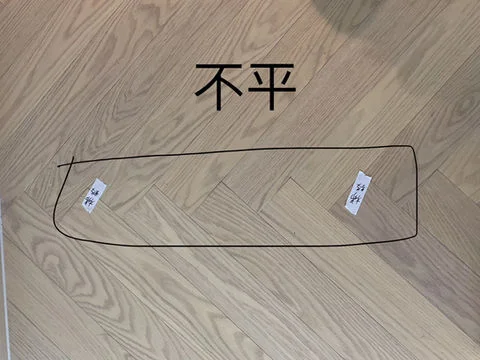
After taking the photo, a mobile phone was used to circle the floor location and add the text "Uneven" for easy comparison during the inspection discovery location.

Follow-up Recommendations
Submit the complete report and photos and ask the developer or contractor to check the relevant floor locations; reinspect the same locations after the work is done.
Property inspection case photo: Wooden flooring area and 'uneven' text note circled on a mobile phone.
Floor location circled on the photo with "Uneven" text

Wall Paint and Ceiling Markings

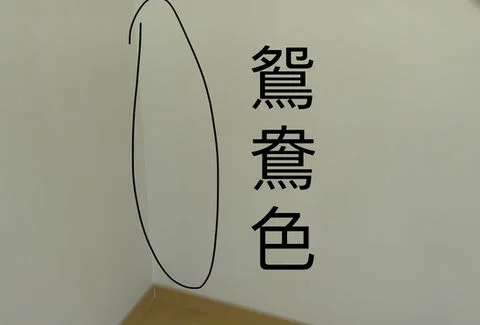
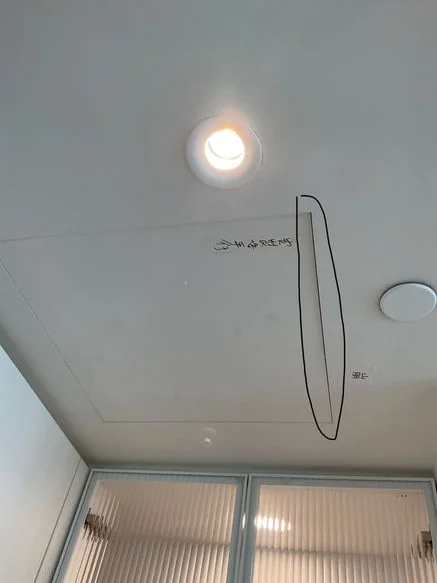
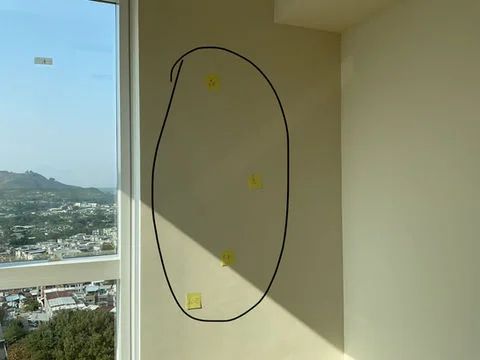
After taking the photo, a mobile phone was used to add the text "Colour mismatch" (鴛鴦色) and circle the wall and ceiling locations. Circles without accompanying text descriptions are not extra-judicially presumed to be cracks or water seepage.

Follow-up Recommendations
Use the location descriptions in the full report alongside the photos to raise follow-up requests with the contractor; when performing a reinspection, pay attention to lighting conditions and the contrast before and after the defect rectification.
Property inspection case photo: Wall location and 'mismatched colours' text note circled on a mobile phone.
Note on the photo regarding the 'mismatched colours' of the wall.
Property inspection case photo: Ceiling inspection location circled on a mobile phone.
Ceiling location circled in the photo.
Property inspection case photo: Two wall inspection locations circled on a mobile phone.
Wall location circled in the photo.

Cabinet Door Exterior Scratches

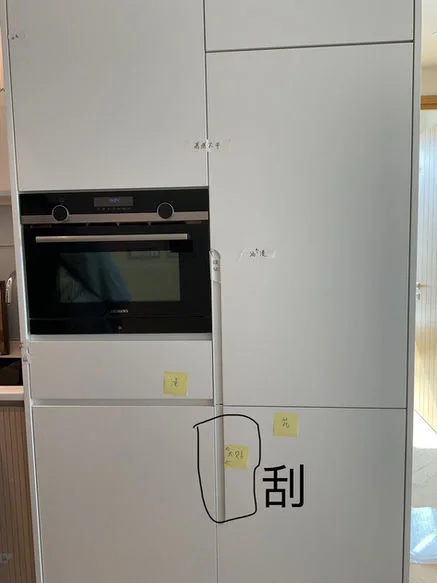
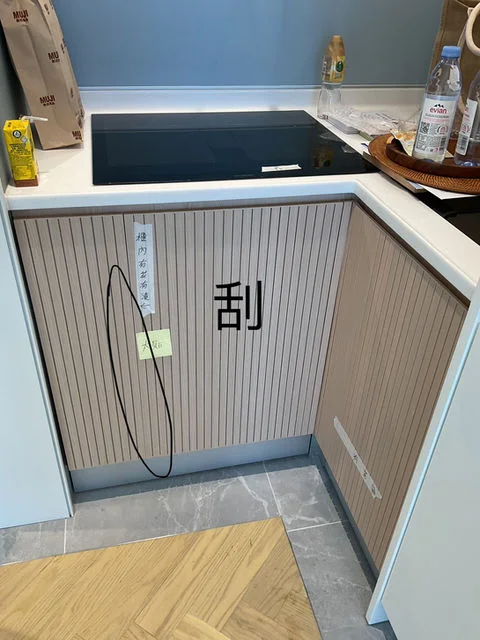
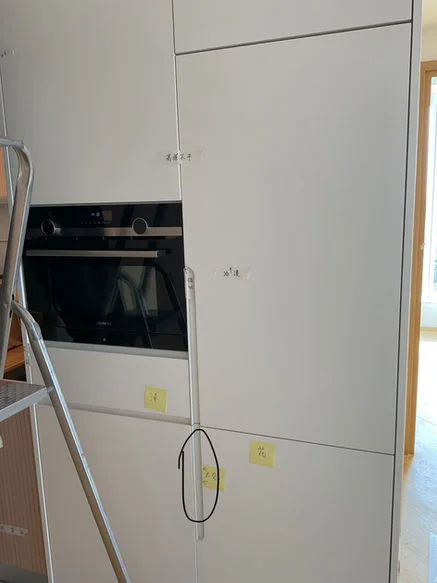
After taking a photo, use your mobile phone to add the word 'scratch' to the photo of the cabinet door, and use circles or arrows to indicate the location of the scratch.

Follow-up Recommendations
Point out every marked location to the developer or contractor and request follow-up according to the actual situation; avoid assuming the entire cabinet unit needs replacing based solely on one partial photo.
Property inspection case photo: Kitchen tall cabinet door scratch location circled on a mobile phone.
Note on the photo regarding a scratch on the tall cabinet door.
Property inspection case photo: Arrow and 'scratch' text added via mobile phone indicating the location of the kitchen cabinet door panel.
Note on the photo regarding a scratch on the kitchen cabinet door.
Property inspection case photo: Cabinet door scratch and mobile phone note taken from another angle.
Note on the photo from another angle regarding a scratch on the cabinet door.

Water Supply/Drainage and Installation Details

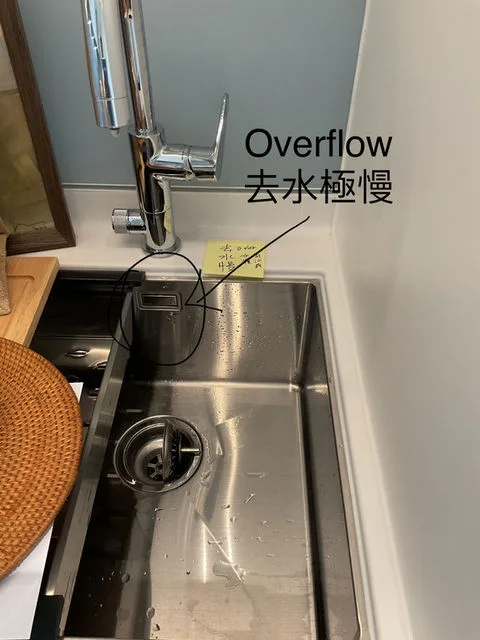
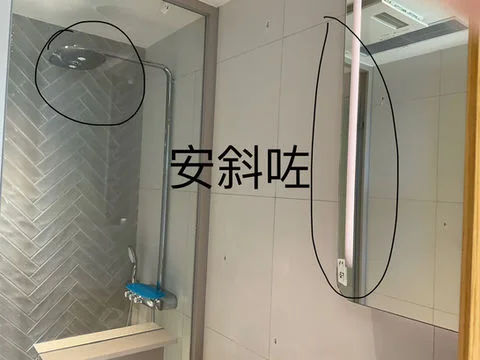
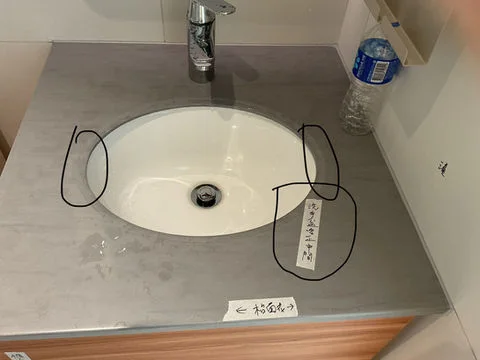
After taking a photo, use your mobile phone to add 'Overflow drainage extremely slow' to the photo of the sink, and 'Installed at a tilt' to the photo of the bathroom. There are other photos with details of the washbasin circled, with no additional conclusions drawn regarding the cause.

Follow-up Recommendations
Submit the relevant photos along with the full report to the contractor to confirm the testing conditions and the treatment method. No claim that an issue has been rectified will be made without a reinspection.
Property inspection case photo: 'Overflow drainage extremely slow' text note added via mobile phone.
Note on the photo regarding the drainage at the sink overflow.
Property inspection case photo: Bathroom equipment location circled on a mobile phone and 'installed at a tilt' text note added.
Note on the photo regarding the installation position in the bathroom.
Property inspection case photo: Washbasin and accessories location circled on a mobile phone.
Details of the washbasin and fittings circled in the photo.

On-site Observation of Ventilation Equipment

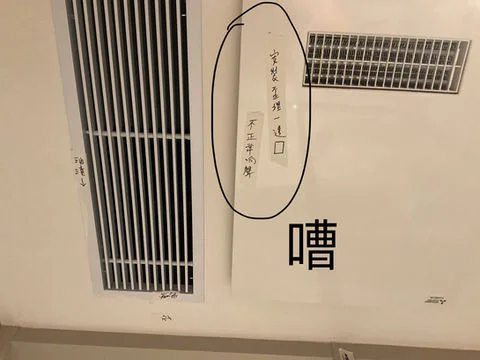
After taking a photo, use your mobile phone to add the word 'noisy' to the photo of the ceiling ventilation equipment, recording the observation made on-site at the time; the old site did not provide measurement values or the cause of the noise.

Follow-up Recommendations
Explain to the contractor when and under what operating conditions the noise occurs, and perform a reinspection under the same operating conditions after the rectification; do not judge equipment failure based on a photo alone.
Property inspection case photo: 'Noisy' text added via mobile phone recording observations of the ceiling ventilation equipment sound.
'Noisy' note on the photo of the ceiling ventilation location.

On-site Inspection and Instrument Records

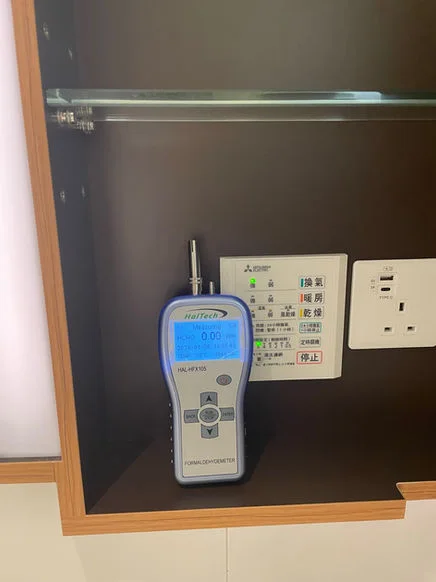
The old site also published photos of air vent measurements, inspection locations, and formaldehyde instruments. These are records of the inspection process and do not mean that every photo shows a defect or a non-compliant result.

Follow-up Recommendations
Inspection conclusions should be understood in conjunction with the full report, units of measurement, test conditions, and limitations; do not use a single photo of an instrument as a guarantee of comprehensive compliance.
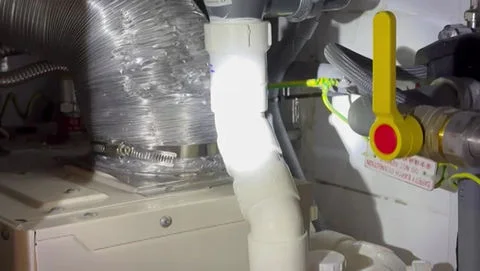
Old site on-site inspection record: Pipe and installation locations.
Inspection location for pipes and installations.
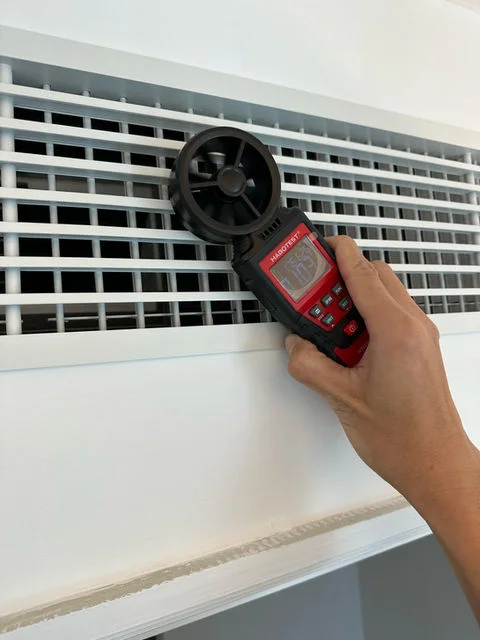
Old site on-site inspection record: Handheld instrument measuring in front of an air vent.
Record of air vent measurements.
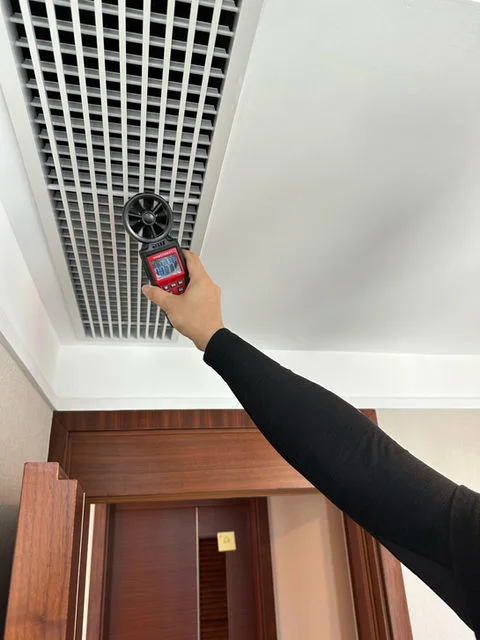
Old site on-site inspection record: OPO Inspection staff using an instrument at the air vent location.
Another air vent measurement location.
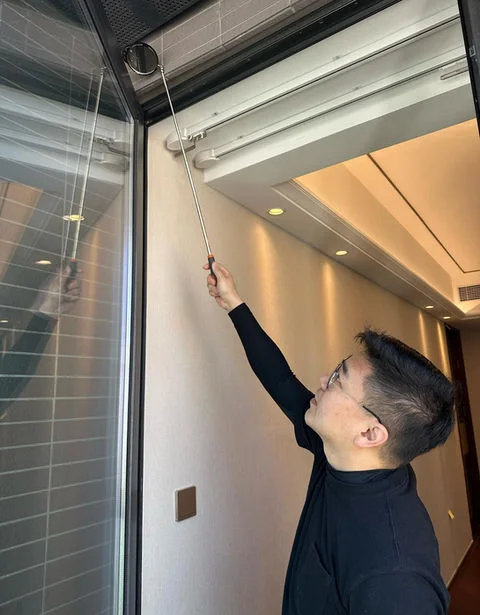
Old site on-site inspection record: Personnel inspecting the area above the doors and windows.
Inspection of door and window locations.
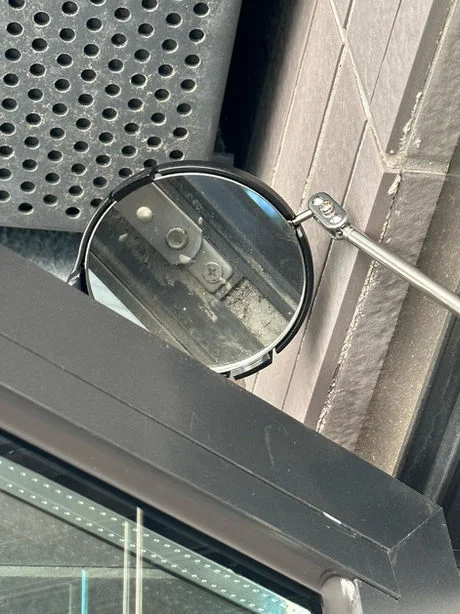
Old site on-site inspection record: Observing installation details using an inspection mirror.
Observing details with an inspection mirror.
Old site on-site inspection record: Formaldehyde testing instrument placed inside an indoor cabinet.
Record of formaldehyde testing instrument.

Distinguish photos, observations and confirmed outcomes in a case

A case photo shows its location and conditions at the time. A close-up alone cannot establish cause, liability or the quality of an entire development. Look for the property context, specific location, site limitations and actual follow-up records. Do not assume resolution where repair or reinspection results are not published, or assume other units have the same issue.

Case images and report deliverables are different

Website case images do not mean that inspection reports include photos. OPO reports do not include photos; owners can keep their own images separately by item number. Circles and text on photos are annotations added afterwards, not marks drawn on the property. Case descriptions must follow existing records without invented repair outcomes, testimonials or inspection experience.

After the case study.

Does your unit have a similar situation?

Describe the problem location and the circumstances under which it occurs to enquire about corresponding visible inspection arrangements.