Functional and mechanical operation testing of smart door locks
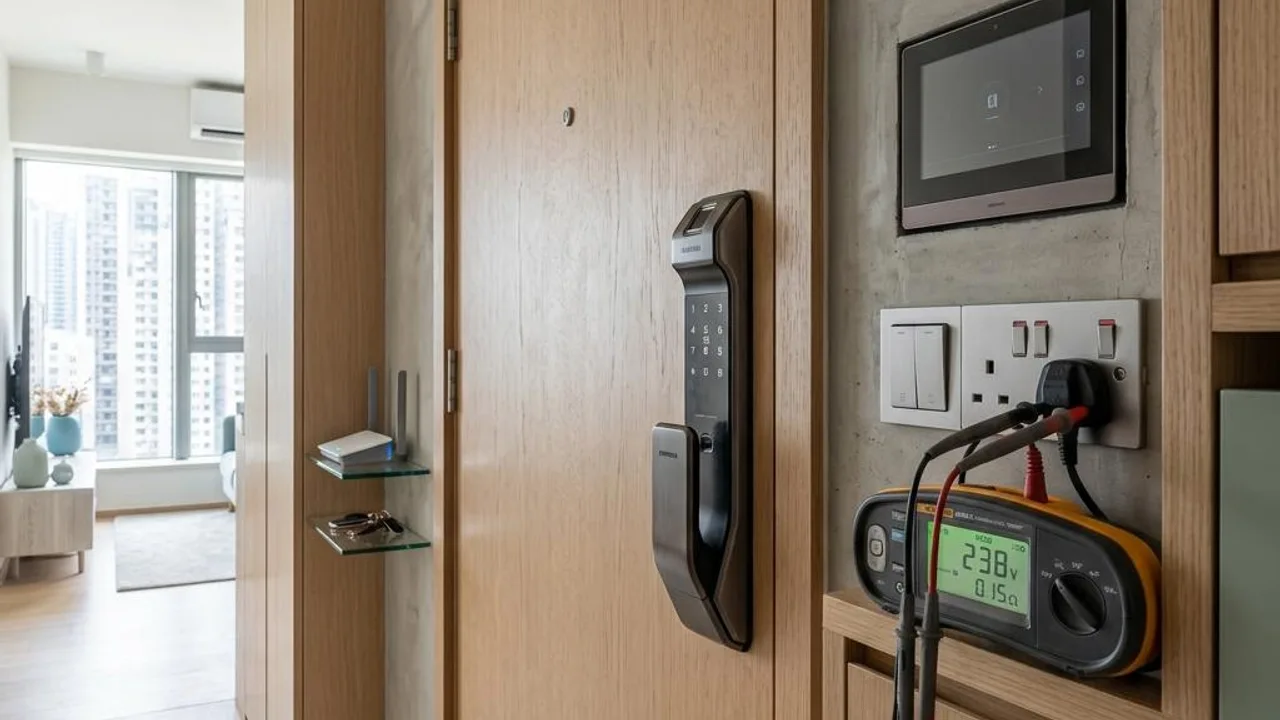
The smart door lock is the unit's first line of defence; its sensitivity should be tested as a priority during the property inspection. It is recommended that owners re-register their fingerprints and set a password, confirming the response speed of the sensor and whether the screen lights up smoothly. At the same time, check that the lock's battery compartment is intact and ensure the emergency mechanical keyhole and external power interface positions are clear.
During repeated locking and unlocking, observe the action of the latch bolt extending and retracting; it must be free of jamming or abnormal alarm sounds. If any structural looseness or electronic faults are found, they should be immediately recorded and the developer should be requested to follow up, to avoid serious problems like being locked out or the lock failing in the future.
- Test the sensitivity of fingerprint and card-tap sensors
- Check the emergency mechanical keyhole and power interface
- Observe the operation of the latch bolt for any jamming or abnormal noises
- Confirm that the battery compartment is securely installed
Verification of the video intercom system and electronic doorbell
For the modern video intercom system from the estate lobby to the unit, one needs to check the display performance of the indoor master unit and the two-way voice transmission effectiveness. When the call button is pressed outside the door, observe whether the indoor screen lights up instantly, and test whether the audio is clear, ensuring there is no interference or noise.
If the system has a mobile app connectivity feature, you should attempt to pair your phone to verify remote messaging and real-time video streaming functions. This type of digital testing is essential for screening visitors and improving home security; if the connection is unstable, you should ask the property management office to check the signal distribution.
- Test the real-time response of the main call button
- Check screen brightness and image clarity
- Confirm that two-way voice communication is free of interference/static
- Test remote pairing for mobile devices
Testing of smart lighting systems and touch panels
For smart lighting switch panels common in new developments, each must be touched to confirm response speed. Any delay, flickering, or lack of response may indicate poor connection between the panel and the circuit. You should also check that the sealant around the panel is applied evenly to prevent moisture from entering the circuit system.
As smart panels rely on low-voltage circuits, minor contact issues can cause system failure. Owners should check the scene mode switching function and ensure the installation location will not affect the lifespan of electronic components due to wall seepage or dampness; if in doubt, ask the contractor to check the circuit stability.
- Confirm the responsiveness of touch buttons
- Test for flickering or delays in light switches
- Verify the installation of the panel sealant
- Test system scene mode switching
Inspection of the weak current cabinet and network connection provisions
The low-voltage distribution box is the hub of the smart home; verify that the fibre optic entry point and power sockets are powered. During a property inspection, you can use a laptop or phone to test the signal connectivity of network ports in each room and ensure the interior of the low-voltage box is well-ventilated to prevent performance degradation of electronic devices due to overheating.
Good signal planning can reduce network dead zones. Although broadband may not be immediately available during a property inspection, you can pre-plan router placement by observing the electromagnetic environment and room layout. If loose sockets or messy network cabling are found, you should request immediate rectification.
- Check that the fibre optic interface inside the low-voltage distribution box is powered
- Test the signal of network cable ports in each room
- Ensure good ventilation within the low-voltage distribution box
- Confirm that internal cabling is tidy and not loose
Explanation of limitations and risks of self-testing
Owners can perform basic checks on the above equipment, but these high-tech products involve complex firmware versions, cloud server compatibility, and encryption security. The aging of electronic components, overload protection responses, or hidden circuit layouts often exceed the scope of an owner's visual inspection.
If abnormal operation or lack of responsiveness is detected during testing, do not attempt to dismantle anything yourself. Any suspected short circuits, system software vulnerabilities, or hardware structural installation issues should be handled by professional engineering personnel to avoid device damage or loss of warranty.
- Do not dismantle precision electronic parts yourself
- Pay attention to firmware updates and network connection issues
- Distinguish between visual functional testing and professional electrical inspection
- Identify security risks related to complex circuit overloads
The importance of a professional OPO Inspection team.
The stability of modern smart devices relies on correct installation and commissioning. A professional team can assist in inspecting hidden circuit connection quality, hardware installation load-bearing, and systematic electronic testing. This provides objective technical evidence when negotiating defect rectification with the developer.
Professional inspection also includes assessing whether system components meet building standards. When recurring faults occur in electronic devices, a professional report can precisely pinpoint the underlying installation defects, ensuring owners are free from maintenance troubles after taking possession and improving the user experience of home automation systems.
- Obtain a detailed, organized, and objective report
- Identify deep-seated hidden construction defects
- Provide technical grounds for developer defect rectification
- Improve efficiency in protecting your rights during property handover
FAQs
What should be done if the smart lighting system is found to be flickering during a property inspection?
Flickering may indicate a poor panel connection or unstable voltage. Owners should stop further testing and record the problem, then notify the developer for follow-up; do not attempt to dismantle the panel to inspect internal circuits yourself.
If a smart door lock is unresponsive, does it mean the electronic parts are faulty?
There are many reasons for sluggish response, including software settings, sensor obstructions, or battery issues. Owners can check if the batteries are securely installed; if the issue persists after ruling out basic factors, you should ask a professional to verify whether there are defects in the installation or electronic modules.
What does an OPO Inspection professional focus on when checking the low-voltage distribution box?
A professional OPO Inspection will assess the space planning of the low-voltage box, the neatness of wiring, and the signal clarity of network ports. The focus is on ensuring all electronic equipment is well-ventilated and that cabling is standardized to reduce the risk of future network instability caused by connection issues.